Edit data in a structured way
Structure your figures in Calc. Clear columns, consistent units and a traceable data basis create the foundation for every further analysis.
Nexoria for Analytics
Edit spreadsheets in Calc and use Nex to better understand structures and calculations. Develop a traceable analysis from your data.
In everyday work
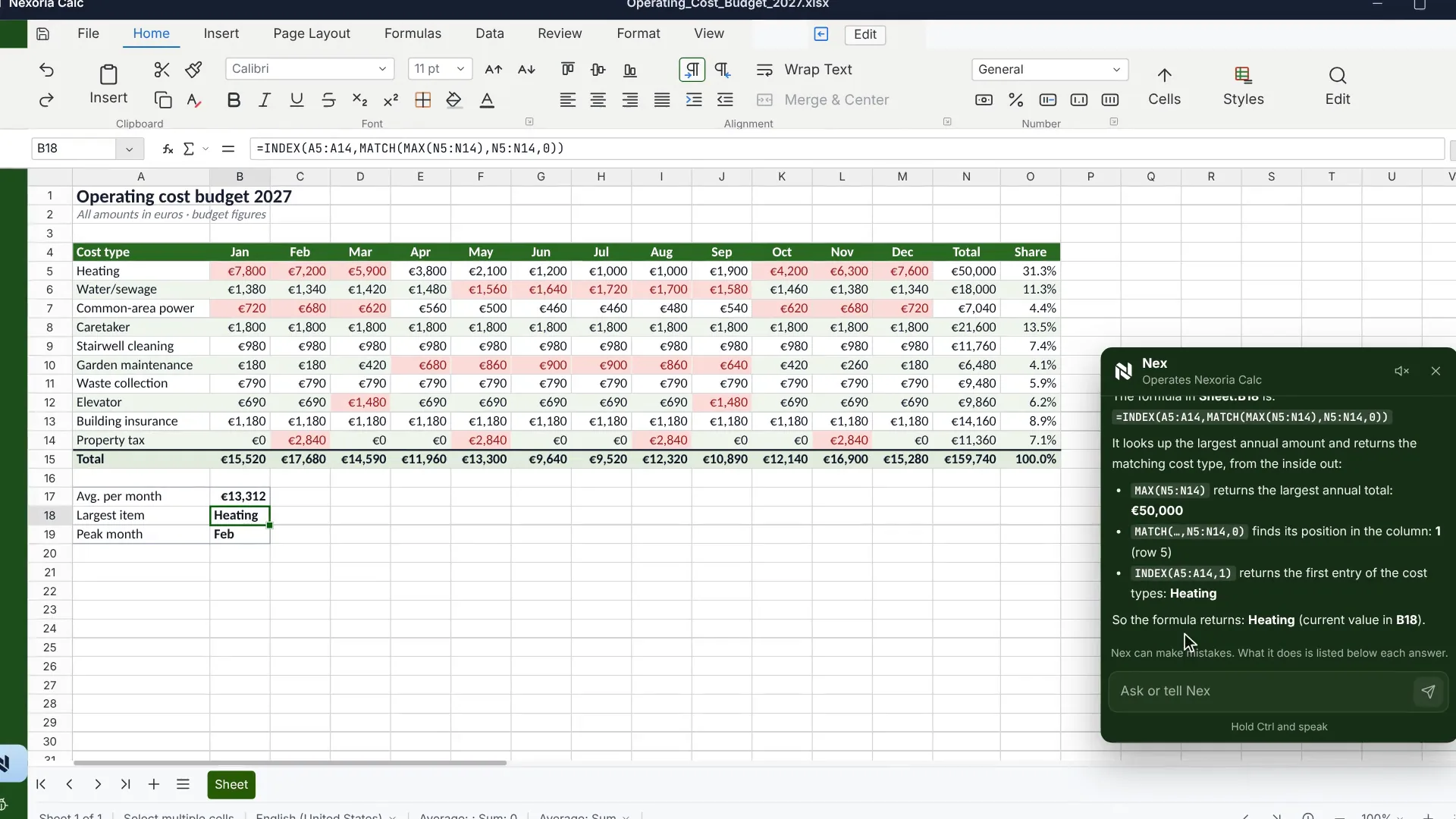
A figure is only helpful once it is clear how it was derived. Calc provides the working environment for spreadsheets, formulas and pivot table analyses. Nex supports you in building new spreadsheets and explaining existing calculations. You check the data basis and the calculation, put the result into professional context and prepare it for a report or presentation.
Structure your figures in Calc. Clear columns, consistent units and a traceable data basis create the foundation for every further analysis.
Get support with formulas and spreadsheet structures. Check which values a calculation uses and whether the assumptions fit your question.
Prepare the result with tables and charts. Explain it in Doc or guide your audience through the key points in Slides.
A practical example
Existing documents turn into a concrete next step. Your team checks the result and continues working with it.
Discover Nex ↗ Nex · with your company knowledge
Explain the structure of this spreadsheet and how planned and actual values can be compared clearly.
A traceable approach to the analysis that you can implement in Calc, check and prepare for the meeting.
Basis: Example basis: project overview · planned values · recorded actual valuesExample workflow · illustrative content
How it comes together
Determine what you want to compare or explain. Check the available data for suitable time periods, units and missing information.
Edit the spreadsheet and use suitable formulas or pivot table analyses. Nex can help you understand the structure and the calculations.
Check the calculations against the data basis. Add professional context and record which conclusion can be drawn from the figures.
The right applications
SharePoint, OneDrive, Google Drive and other systems can be connected on request. We agree the scope and indexing with you.
Good to know
The workflow described uses spreadsheets, formulas and pivot table analyses in Calc. You choose the method according to your question and your data basis.
Nex can support understanding and building. You must check data quality, formulas and conclusions from a professional standpoint; an AI explanation does not replace this check.
You can store the edited file in Drive and prepare results in a report with Doc or in a presentation with Slides.
Your next step
We will show you what Analytics with Nexoria can look like in your business.
Arrange a call ↗