Draft texts in Doc
Write and revise documents. Nex helps with wording, shortening and translating directly in the sidebar; the subject-matter review remains with you.
Nexoria for Office & content
Write, calculate and present: Doc, Calc and Slides combine editing your files with support from Nex. Keep research and drafting close together.
In everyday work
Whether it is a project report, an analysis or a presentation: it starts with information that is already in your files. Nexoria connects its own knowledge store with applications for further editing. Use Nex for support, work out the result in the appropriate Office application and save the file in Drive. This turns an answer into a usable working document.
Write and revise documents. Nex helps with wording, shortening and translating directly in the sidebar; the subject-matter review remains with you.
Work with figures, formulas and analyses. Use Nex to help you understand existing calculations or prepare a new spreadsheet structure.
Turn a topic into a clear presentation structure. Edit the slides and adapt the layout, order and statements to your audience.
A practical example
Existing documents turn into a concrete next step. Your team checks the result and continues working with it.
Discover Nex ↗ Nex · with your company knowledge
Summarise the key points from these project documents as an outline for a report.
A starting point for the report in Doc, supporting figures in Calc and the subsequent presentation in Slides.
Basis: Example basis: project documents · analysis · meeting notesExample workflow · illustrative content
How it comes together
Open an existing file or research your stored company knowledge. Check which sources fit the planned result.
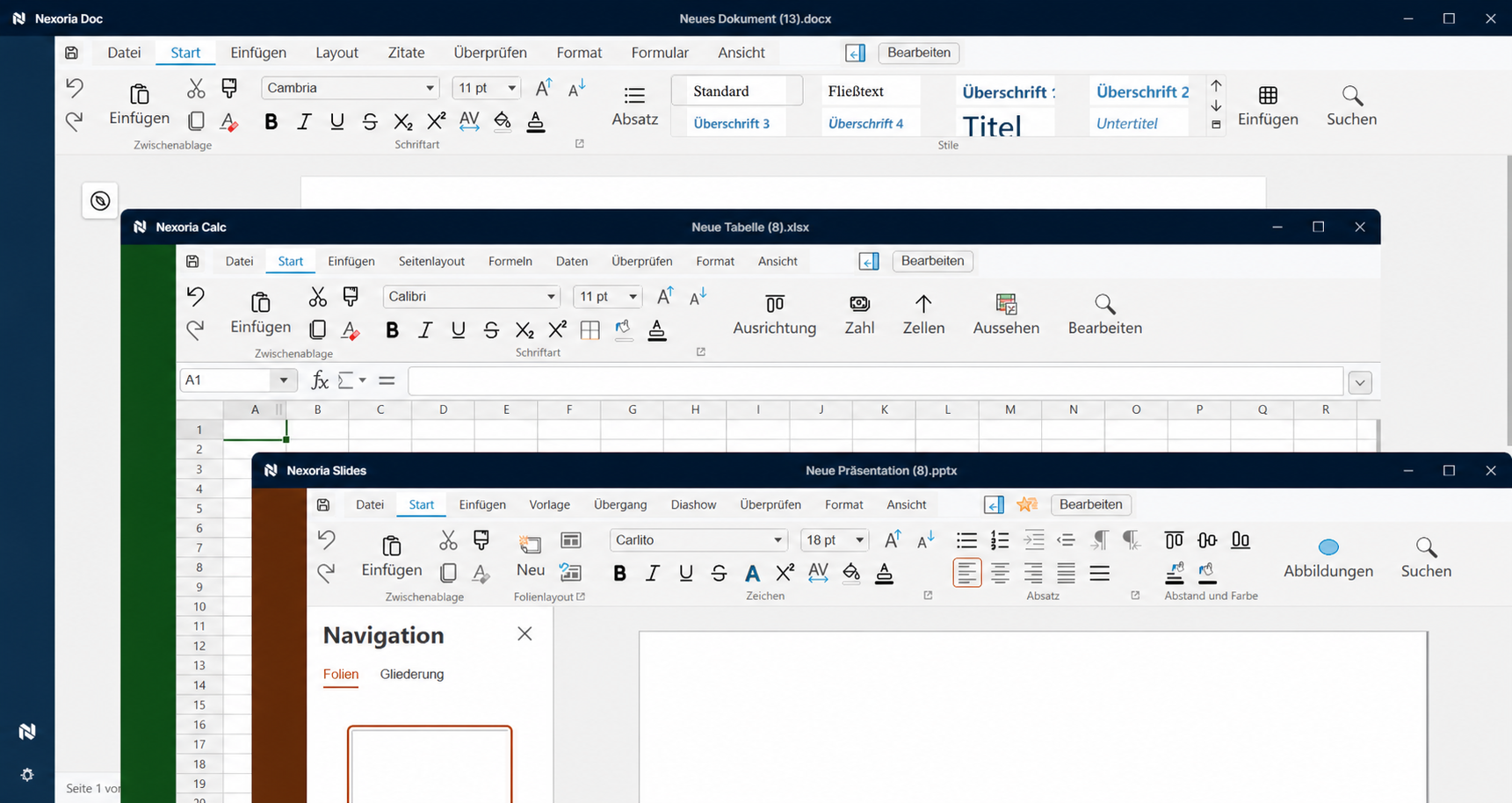
Use Doc for text, Calc for spreadsheets and Slides for presentations. Nex helps with drafting within the respective working context.
Revise the result and make the file available via Drive for further collaboration. Check the content and access permissions before sharing.
The right applications
SharePoint, OneDrive, Google Drive and other systems can be connected on request. We agree the scope and indexing with you.
Good to know
Doc is designed for text documents, Calc for spreadsheets and analyses, Slides for presentations. Together, they provide the tools for different results based on your information.
Drive is Nexoria's own file storage. There you can store files and make them available for collaboration.
Nex helps you develop and understand content. You can continue editing the results in the Office applications and check them before you use them.
Your next step
We will show you what Office & content with Nexoria can look like in your business.
Arrange a call ↗