Identify the key points
Get support in summarising content. Note down questions and open points so that your reply addresses the actual request.
Nexoria for Email workflows
Bring order to your next reply: Mail and Nex help with summarising, drafting and revising. Relevant company knowledge helps you prepare well-founded content.
In everyday work
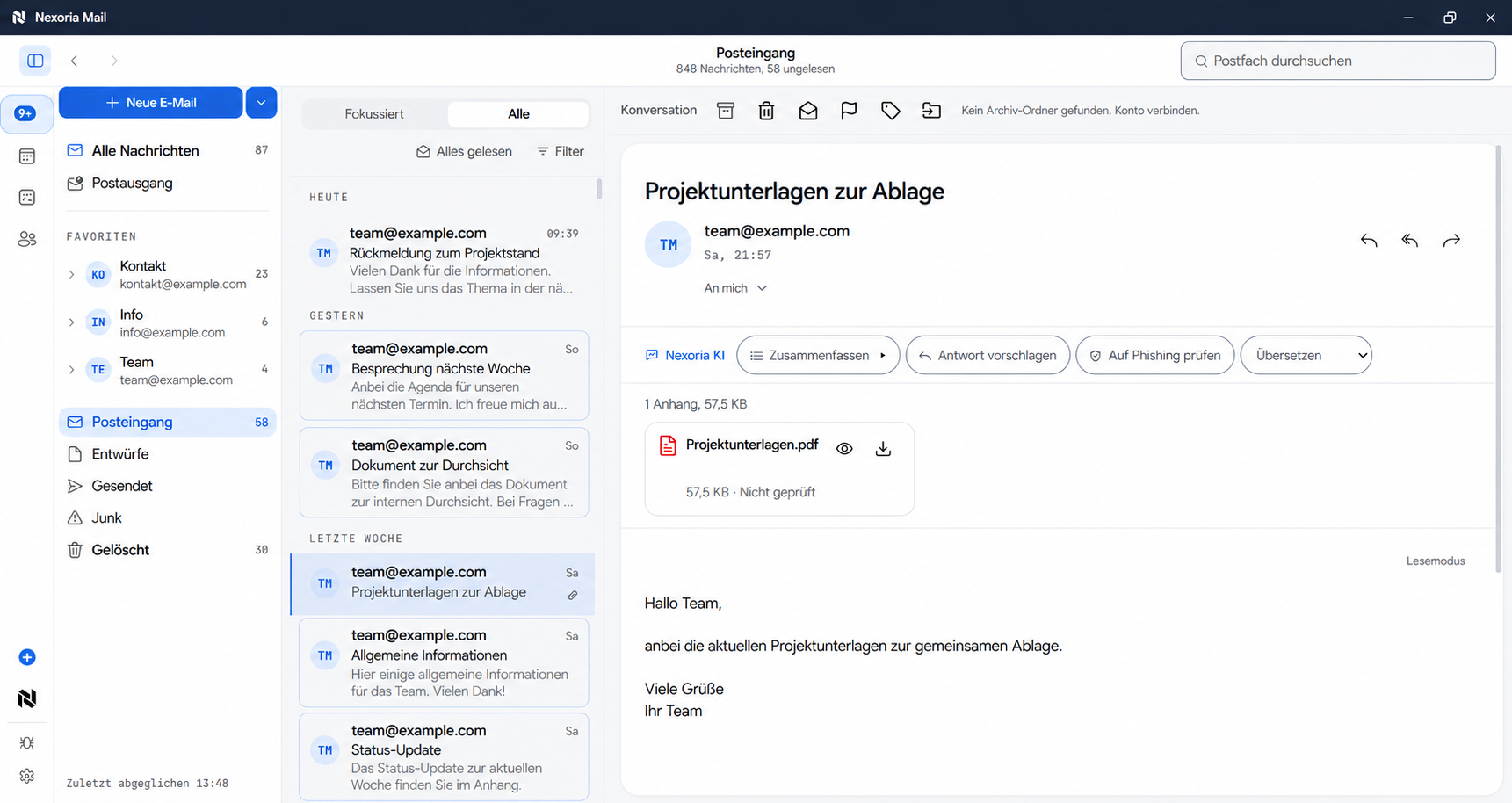
A message can contain a question, a decision or a task. To reply meaningfully, you often need information from other documents. With Nexoria, you use Mail for communication and Nex for support with drafting the reply. Research the context you need in the stored company knowledge, check the matching passages and use them to write a suitable reply.
Get support in summarising content. Note down questions and open points so that your reply addresses the actual request.
Develop and revise drafts with Nex. Tailor tone, length and clarity to the recipient and the occasion.
Find relevant information in stored documents. Check terms and details at the source before you include them in a message.
A practical example
Existing documents turn into a concrete next step. Your team checks the result and continues working with it.
Discover Nex ↗ Nex · with your company knowledge
Write a short, friendly draft reply from these verified points. Point out the follow-up question that is still open.
An editable message text that brings together the available information and names the next step for clarification.
Basis: Example basis: message · verified product information · internal noteExample workflow · illustrative content
How it comes together
Read the message in context. Distinguish between questions, information needed and points that have to be clarified internally.
Use Nex to research your company knowledge and prepare the text. Add details that only you know from the specific case.
Check recipients, statements, attachments and tone. After your review, send the finished reply through your designated email workflow.
The right applications
SharePoint, OneDrive, Google Drive and other systems can be connected on request. We agree the scope and indexing with you.
Good to know
The workflow described supports you in creating and revising a draft. You review the content and decide whether to send it.
With Nex, you can research relevant information from stored, indexed documents and add verified content to the draft.
Yes. Nexoria Mail connects your inboxes to Nex via SMTP and IMAP. With the automations in the core product, you can map recurring workflows. We work with you to determine which workflows and integrations with external software make sense for your team.
Your next step
We will show you what Email workflows with Nexoria can look like in your business.
Arrange a call ↗