




Nexoria
Get started

Nexoria Drive: Storage with indexed content, directly in Windows File Explorer

Nexoria Drive is the platform's cloud storage and integrates into Windows File Explorer as a drive. What sets it apart from plain storage is not the filing itself but what happens afterwards: shared content is indexed and then available to document search and the AI assistant Nex. Files, index and search run on servers in Germany.

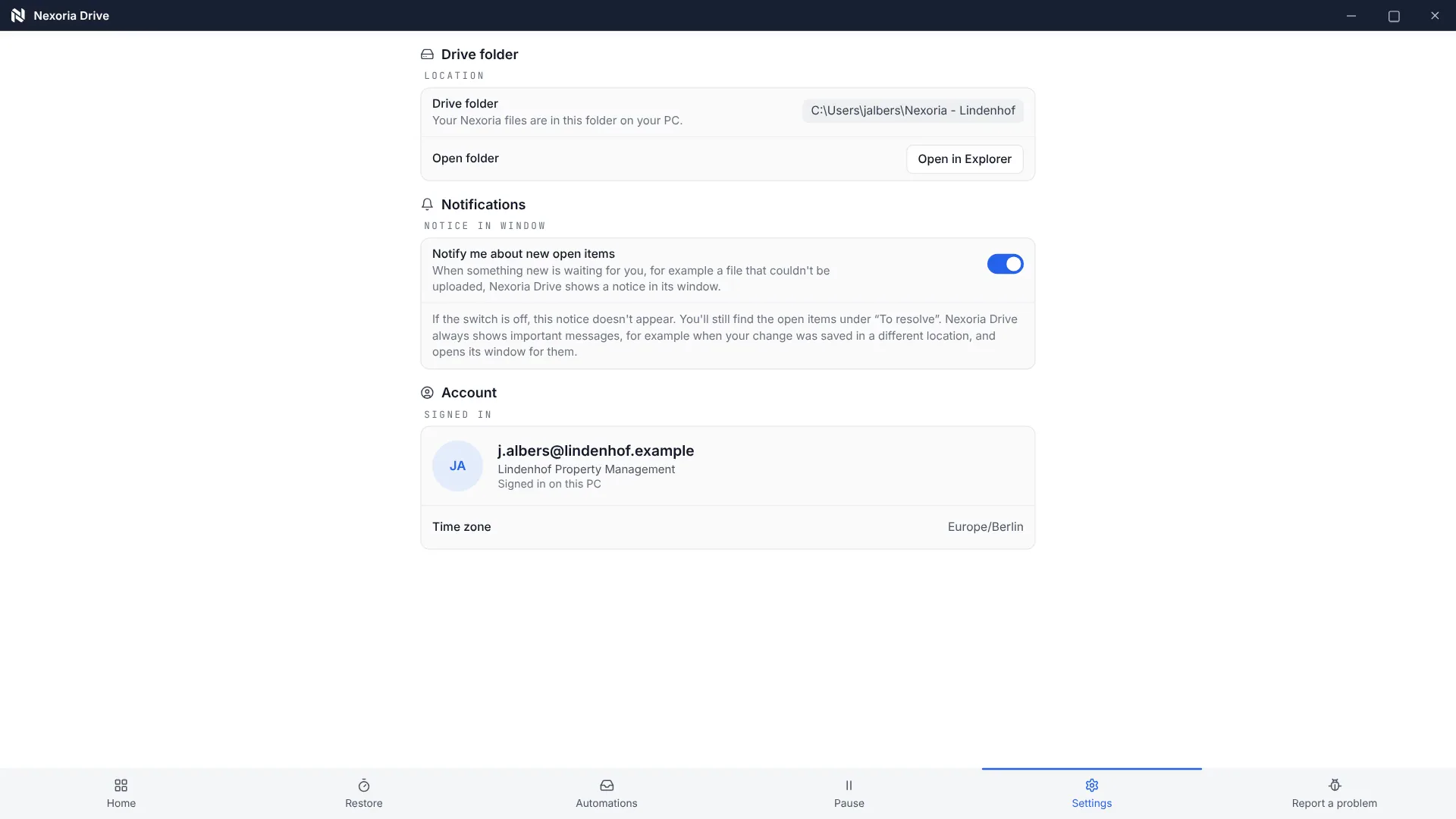
OneDrive alternative Open the Drive folder and see filing, indexing and sync status in the example.

Nexoria Drive in everyday work

Your file storage becomes useful knowledge.

Share files, find earlier versions and make content accessible for search and Nex.

OneDrive alternative

Find file versions and deleted files

See earlier versions and deleted files in Drive, and where to start restoring them.

INTEGRATE YOUR TOOLS

Manage files: what you can work with.

Drive is your native file storage. Office files can be edited further; you can also connect existing inboxes via Nexoria Mail.

Nexoria Mail is an optional add-on. Email integrations are enabled selectively.

File formats: Doc, Calc and Slides open and save DOCX, XLSX and PPTX. Check rendering, features and the round trip using your own templates.

WHAT THIS LOOKS LIKE DAY TO DAY

Manage files where you work.

Drive is available as a drive in Windows File Explorer. Folders, sync status and preview accompany your file storage; versioning and offline availability support work on existing files.

  • Drive
  • Folders
  • Preview
  • Versions
DriveWork areaSharedArchive
In File Explorer
Drive
Folders
Preview
Versions
Knowledge connected
Functional diagram · Sample data

This is Nexoria

Your files. In the familiar File Explorer.

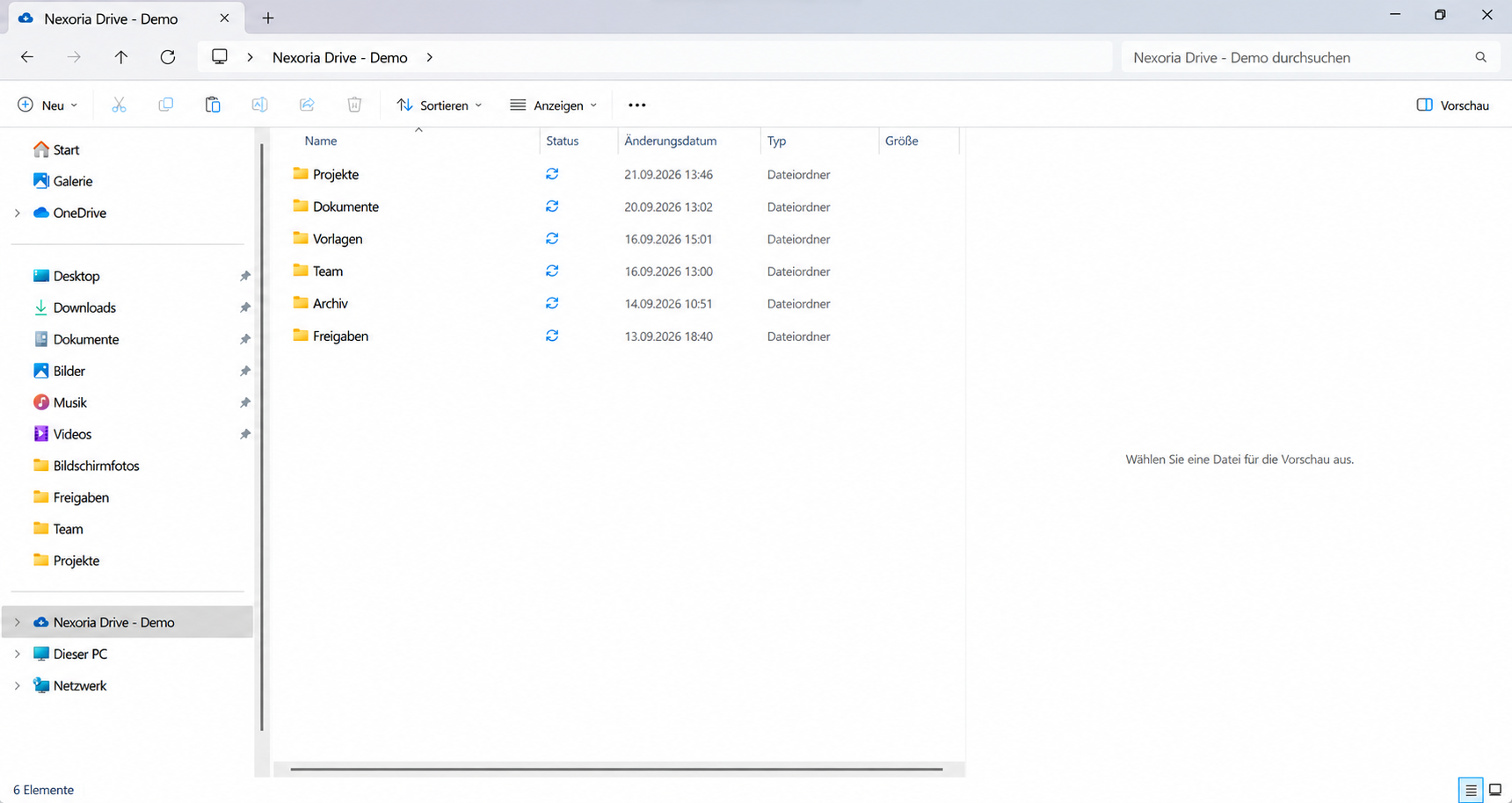
Nexoria Drive in Windows File Explorer: folders and sync status in one view.

Nexoria Drive in Windows File Explorer: folders and sync status in one view.
Real product view
Manage files: all the detailsPrerequisites, background and frequently asked questions

Product video

Nexoria Drive on video

View all videos under Resources

Definition

What is Nexoria Drive?

Nexoria Drive is the platform's cloud storage and also the source of company knowledge; shared content is indexed.

Nexoria Drive thus takes the place that OneDrive or Google Drive occupies in many companies, but it also takes on a second task: it is where the platform's Company knowledge comes from. Everything that the Document search finds and that Nex draws on for its answers is stored here first.

Problem

The problem

Storage knows file names, folders and modification dates. It does not know what is in the files. As long as that is the case, every answer depends on someone remembering which folder holds the right document. With a handful of contracts, that is not a problem. With several thousand documents that have accumulated over years and through changing responsibilities, it becomes one.

The usual workaround is a second tool: a search on top of the file storage, or an AI chat to which you attach the relevant files. Both merely shift the work. The search has to maintain its own index, and the chat only becomes useful once someone has found what they were actually looking for.

How it works

How does Nexoria Drive work?

  1. Step 1

    Storing files as usual

    Nexoria Drive integrates into Windows File Explorer as a virtual drive. Files are stored, moved and renamed there as in any other folder. Synchronisation runs in the background, every change is versioned, and deleted files remain recoverable in the recycle bin during a grace period.

  2. Step 2

    Sharing via the workspace

    The workspace decides which content is available for search and AI. It assigns people and chatbots to a knowledge space. Anything not shared there remains plain file storage.

  3. Step 3

    Indexing on our own servers

    The shared content is indexed. The platform calculates the embeddings required for this locally on its servers in Germany. No document leaves the environment for indexing.

  4. Step 4

    Use without detours

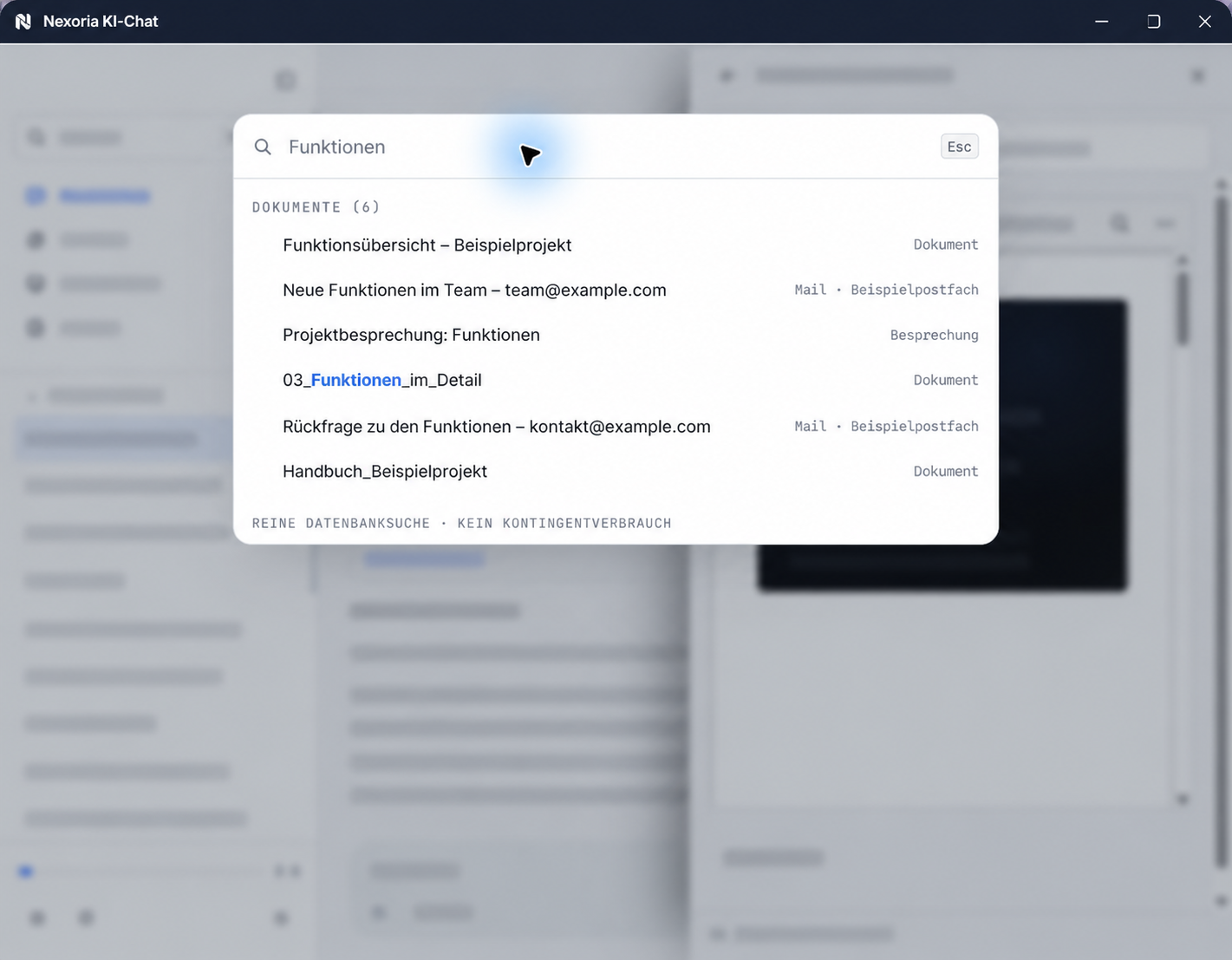
    From this point on, the same content can be reached in two ways: through semantic document search with a source reference for each result, and through the AI assistant Nex, which answers on this basis and processes the content further.

Key point

The difference from plain cloud storage

This section is the core of the page, which is why it goes into detail. The job of cloud storage is to accept a file, keep it safe and return it unchanged. Nexoria Drive does this with synchronisation, versioning and offline availability. The real difference lies in what happens to the content afterwards.

File storage and a source of knowledge are two different things

File storage answers the question: where is this file. A source of knowledge answers the question: what do we know about it. The way from one to the other is through indexing the content. Only when not just the name and folder but the text in the document is captured can you search by meaning and generate an answer with a source reference.

This is exactly the step Nexoria Drive takes care of, and it does so within the same platform. There is no export to a search tool, no second permissions server and no copy of the content in a third location.

What this changes in practice

  • The search looks at what is in the document, not at what someone wrote in the file name when saving it.
  • An answer from Nex names the document it comes from. This means the statement remains verifiable within the company.
  • Access permissions are maintained once in the workspace and apply equally to storage, search, Nex and chatbots.
  • New employees find answers without having to know the folder logic that has grown up over recent years.

Comparison with other providers

The comparison with OneDrive, with sources from the vendor and the date of review, can be found at Nexoria and OneDrive compared.

Product data

Nexoria Drive fact sheet

Product fact sheet

Nexoria Drive

Nexoria Drive is the platform's cloud storage and also the source of company knowledge; shared content is indexed.

Category
Cloud storage for businesses
Problem
Replaces OneDrive and Google Drive as file storage and makes the stored content usable for search and AI.
Target group
Businesses; the offer is aimed at business customers within the meaning of Section 14 of the German Civil Code (BGB).
Core features
  • Direct integration into Windows File Explorer
  • Automatic synchronisation and versioning
  • Offline availability for all files
  • Indexing for Nex and document search
Input
Files, managed in Windows File Explorer
Output
Synchronised and versioned files, shared content as an index for Nex and document search
Integration in Nexoria
At the heart of the core product, providing the indexed content for Nex and document search.
Privacy
Encryption in transit via TLS, encryption at rest with AES-256, operated on servers in Germany. For details, see /security.
Hosting
Files, the knowledge index and semantic search run on dedicated servers in Germany. The website and dashboard are also hosted in Germany.
Status
Feature available. Registration and online purchase of the Base and Pro plans have been available since 15 September 2026.

Requirements

Requirements

  • The drive integration requires the Nexoria Drive app on a Windows computer. The platform itself runs on the web.
  • One user corresponds to one device. The same user cannot be used on several devices at the same time.
  • The Base plan includes 10 GB of storage per company, the Pro plan 20 GB per company.
  • How much work the initial indexing of existing content involves depends on its size. Setup is charged individually according to the work required.
  • The offer is aimed at business customers within the meaning of Section 14 of the German Civil Code (BGB); all prices are net prices.

Evidence

Storage above the included allowance costs €1.00 per GB per month, calculated on the source bytes transferred.

Source: Pricing. Checked on .

Processing

Data protection and infrastructure

Operation and security of Nexoria Drive. As of .
SubjectDetailSource
File storage locationFiles, the knowledge index and semantic search run on dedicated servers in Germany. The website and dashboard are also hosted in Germany.Security and privacy
checked on
Indexing locationDocument embeddings and semantic search run on servers in Germany, using models that Nexoria operates there itself.Security and privacy
checked on
EncryptionTLS 1.3 for all connections, WireGuard VPN between servers, AES-256 for OAuth tokens, daily encrypted backups with AES-256.processing register
checked on
Tenant separationStrict data isolation per tenant at database and vector store level, a role model with Admin, Member and Viewer, server-side permission checks on every API endpoint.processing register
checked on
Use for trainingIn Nexoria's verified Mistral organisation, the use of new API interactions for model training is disabled (account check of 26 September 2026). This setting applies to new interactions processed there. For your own optionally connected AI accounts, the settings of the respective account apply.Data processing agreement
checked on

Statements about the company's own architecture and operating processes are made by Nexoria Systems UG (haftungsbeschränkt) itself and have not yet been externally audited. The full assessment is on the security and privacy page.

Features

Specific features

  • Virtual drive in Windows File Explorer, with the familiar actions for folders and files.
  • Background synchronisation, with conflicts resolved.
  • Versioning of every change; earlier versions remain viewable and restorable.
  • Recycle bin with a grace period, during which deleted files can be restored.
  • Offline availability; changes are synchronised once you are back online.
  • Structure based on personal, team and collaboration folders, matching the workspaces.
  • Sharing with a log of who did what and when.
  • Indexing of shared content for document search and for Nex.

Where this component fits into the overall picture is shown in the component overview.

Comparison

Comparison with the conventional approach

The comparison is between categories, not specific products: cloud storage that only stores files, compared with storage whose content is indexed.

Plain file storage and Nexoria Drive. As of .
AspectPlain file storageNexoria DriveSource
What you can search byBy file name, folder and modification dateAdditionally by the content of shared documents, semanticallyStatement by Nexoria
What the AI can useOnly what someone looks up and attaches for each requestThe workspace's indexed content, plus any attached filesStatement by Nexoria
Where permissions are maintainedIn the file storage; other tools need their own permissions modelOnce in the workspace, valid for storage, search, Nex and chatbotsWorkspaces and databases
checked on
What happens when switching toolsDownload the file, upload it, continue working in the next toolDoc, Calc, Slides and the Nex AI chat work on the same contentStatement by Nexoria
Where processing takes placeVaries by providerFiles, index and search on dedicated servers in GermanySecurity and privacy
checked on

FAQ

Frequently asked questions about Nexoria Drive

How does Nexoria Drive differ from OneDrive or Google Drive?

Nexoria Drive offers familiar file storage too, directly in File Explorer on Windows computers. The difference comes afterwards: Nexoria Drive indexes the content of shared files. This turns the storage into a source of knowledge from which document search and the AI assistant Nex answer, without anyone first having to hand the documents over to a second tool.

Do I have to change the way I work?

On Windows computers, Nexoria Drive appears as a drive in File Explorer. Creating folders, moving and renaming files and continuing to work offline all work as usual. Synchronisation runs in the background, and changes are versioned.

Are all files really indexed?

Whatever is shared is indexed. Sharing is controlled by workspaces: they determine which people and which chatbots may see which content. Anything a workspace does not share appears neither in search nor in an answer from Nex.

How does a newly stored file get into search?

A shared file is indexed after it is stored and is then available to document search and Nex. For the initial indexing of existing content: the work involved depends on the volume of data and is calculated individually during setup.

Where are the files stored?

Files, the knowledge index and semantic search run on dedicated servers in Germany. Nex uses Mistral AI to generate answers. Data is transferred via TLS and stored encrypted, and daily backups are encrypted as well.

How much storage is included?

The Base plan includes 10 GB per company, the Pro plan 20 GB per company. Storage above the included allowance costs €1.00 per GB per month, calculated on the source bytes transferred. All prices are net.

Contact

Next step

The best test is your own content. In a conversation, we look at where your files are stored today, which of them should be indexed and how much work the setup involves. Setup is charged individually according to the work required, depending on the volume of data to be indexed.

Sources

As of

  1. Regulation (EU) 2016/679, General Data Protection Regulation. Publications Office of the European Union, 2016. https://eur-lex.europa.eu/eli/reg/2016/679/oj Retrieved on .Source for the data processing agreement under Art. 28 mentioned on this page.

As of

Think further. Discover more.

Connect knowledge.
Discover Nexoria

Knowledge search

Learn more ↗
Work together.
Discover Nexoria

Workspaces

Learn more ↗
Next step.
Discover Nexoria

Security & privacy

Learn more ↗

Knowledge that
moves you forward.

Discover Nexoria