Condense information in a targeted way
Gather the documents relevant to the task. Have the key messages drawn out and check whether the draft preserves the original meaning.
Nexoria for Documents with AI
Use existing documents as a starting point for reports and presentations. Nex helps with structuring and wording; you bring the draft into the right shape.
In everyday work
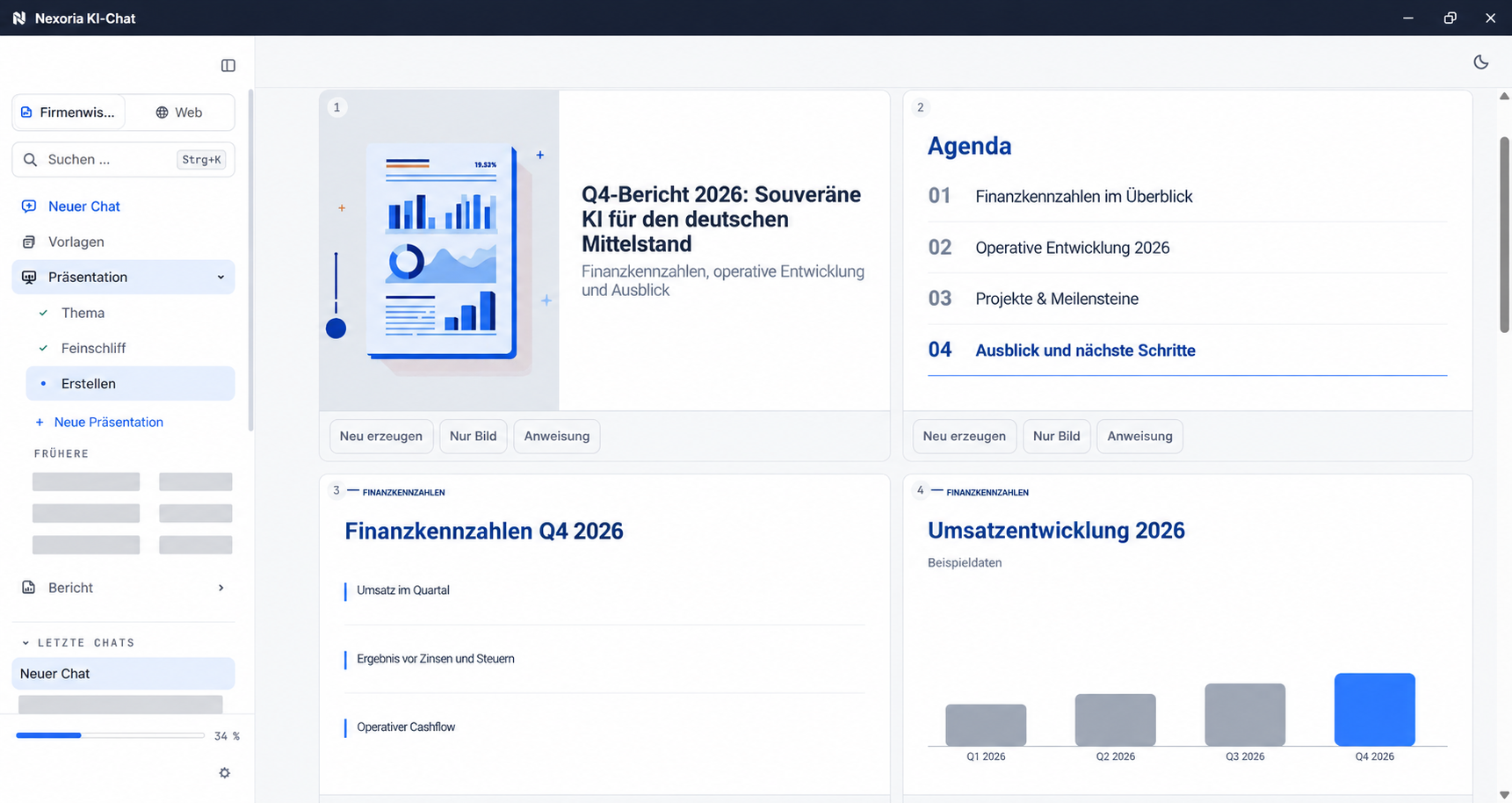
Anyone who has to create a report from several documents must first review the content, set priorities and identify gaps. Nex supports this preparation. You create reports and presentations directly in the Nex AI chat, then continue working in the Office apps. Check statements, sources and conclusions before the draft becomes an approved document.
Gather the documents relevant to the task. Have the key messages drawn out and check whether the draft preserves the original meaning.
Specify the purpose, target audience and desired result. A suitable outline helps you organise arguments, details and open points clearly.
Develop texts further in Doc and presentations in Slides. Add specialist knowledge, correct statements and adapt the presentation to your occasion.
A practical example
Existing documents turn into a concrete next step. Your team checks the result and continues working with it.
Discover Nex ↗ Nex · with your company knowledge
Create a report from these documents with the initial situation, key findings and open questions for the project team.
A structured draft as the basis for expert review and further editing.
Basis: Example basis: project description · notes on results · shared documentsExample workflow · illustrative content
How it comes together
Describe who the document is for, which documents it should take into account and which questions need to be answered.
Use the Nex AI chat to prepare and create the content. Compare the results with the material provided.
Revise language and structure in the appropriate app. Save the finished file in Drive and share it with the intended people.
The right applications
SharePoint, OneDrive, Google Drive and other systems can be connected on request. We agree the scope and indexing with you.
Good to know
State the target audience, purpose, relevant documents and desired structure. Precise instructions create a good starting point for further editing.
Treat the result as a draft. Check factual statements, figures, sources and conclusions, and add information that is missing from the documents.
Use Doc for text documents and Slides for presentations. You can store the edited files in Drive and make them available to your team.
Your next step
We will show you what Documents with AI with Nexoria can look like in your business.
Arrange a call ↗