





Enterprise search is search within an organisation's closed body of information. Unlike web search, it works on sources that are not public, exist in very different formats and, depending on the role, may only be viewed in part. Such a system ingests the sources, brings them together in a shared index and checks the permissions of the person searching with every query. The term describes a task, not a standardised method or a protected product category.
Where the term comes from and where it is standardised
Enterprise search comes from the software industry and became established around the turn of the millennium, when web search became a matter of course in everyday life and the difference from searching within your own organisation became apparent. The German expression Unternehmenssuche is used less often. Both refer to the same task.
In terms of subject area, the task belongs to information retrieval, the branch of computer science concerned with finding relevant documents. This is also where the two families of methods come from on which practically every system is built: lexical search with a ranking method such as BM25, and search using learned vector representations. There are primary sources for both; they are given below in the list of sources.
Putting the term in context
Enterprise search is not a standardised term, not a protected designation and not a category with a defined range of functions. There is no body that checks whether a product may call itself that. What a specific system does can therefore only be determined from its description, not from the label.
How an enterprise search system is structured
Between the file on the drive and the result on the screen lie five typical tasks. Their specific implementation and the way the sources are connected differ from system to system.
- Ingest: content comes from the sources via suitable connectors, interfaces or an agreed import. For each integration, it must be clarified which content and permissions are taken over and how changes are kept in sync.
- Prepare: text is extracted from PDFs, presentations or spreadsheets. Scanned pages without a text layer first need text recognition, audio recordings a transcription. The text is then split into passages.
- Index: the passages are written to a search index, depending on the method as a word index, as vectors or as both.
- Query and check: candidates for the query are identified and filtered against the permissions of the person searching. Where this check takes place is the most important architectural decision in the entire system.
- Ranking and display: the remaining results are sorted and displayed with their source reference, ideally with the passage of text that matches the query.
Why the timing of the permission check is crucial
There are two architectures for checking permissions. In one, the permissions are already written into the index, so that the search only returns results that the person making the query is allowed to see. In the other, the system first searches without restriction and filters afterwards. The second variant is easier to build and becomes dangerous the moment a language model processes the results further: whatever has once entered the model's context can potentially appear in the answer, even if the result itself is filtered out later.
A second point concerns timeliness. Permissions change, documents move, employees change departments. An index that only reflects these changes on the next full run temporarily shows yesterday's permissions.
Which types of system exist
The systems available on the market can be divided into four groups. The groups differ less in their search method than in the question of who owns the content and who owns the permissions model.
- Search engine cores as building blocks: Apache Lucene and the systems built on it, Elasticsearch, OpenSearch and Apache Solr. They provide the index and ranking; everything else, from connectors to the permissions model, is added on top.
- Search built into a platform: the search is part of the collaboration tool, such as a document platform or office suite. Other sources and their permissions depend on the integrations actually available.
- Standalone enterprise search products: they sit on top of existing systems and connect them via connectors. The content does not move; the effort lies in integration, taking over permissions and keeping things up to date.
- Storage and search in one platform: files and the search index are managed together. Which content is indexed and whether other sources are added depends on the product and its integrations.
Within each group, there is also the question of method: lexical search, semantic search or a combination of both. What distinguishes the methods is explained under semantic document search. If a written answer is also generated from the results, the architecture behind it is RAG.
How do enterprise search systems differ in terms of integration?
The list of sources is not the only thing that matters. For each integration, check which content is taken over, how people and groups are mapped and how changes, deletions and revoked permissions reach the searchable content. A connector alone proves neither complete takeover of permissions nor a particular update interval. The same questions apply to an agreed import; a copy does not stay up to date without a suitable maintenance process.
Examples are provided by the Elastic documentation on Connectors and document-level permissions as well as Microsoft's description of external groups (each retrieved on 10 September 2026). They refer to the systems of these providers. The Selection guide for enterprise search solutions leads from these criteria to a pilot with a defined scope; the Test tasks show how to check this with your own documents and test accounts.
How Nexoria implements this
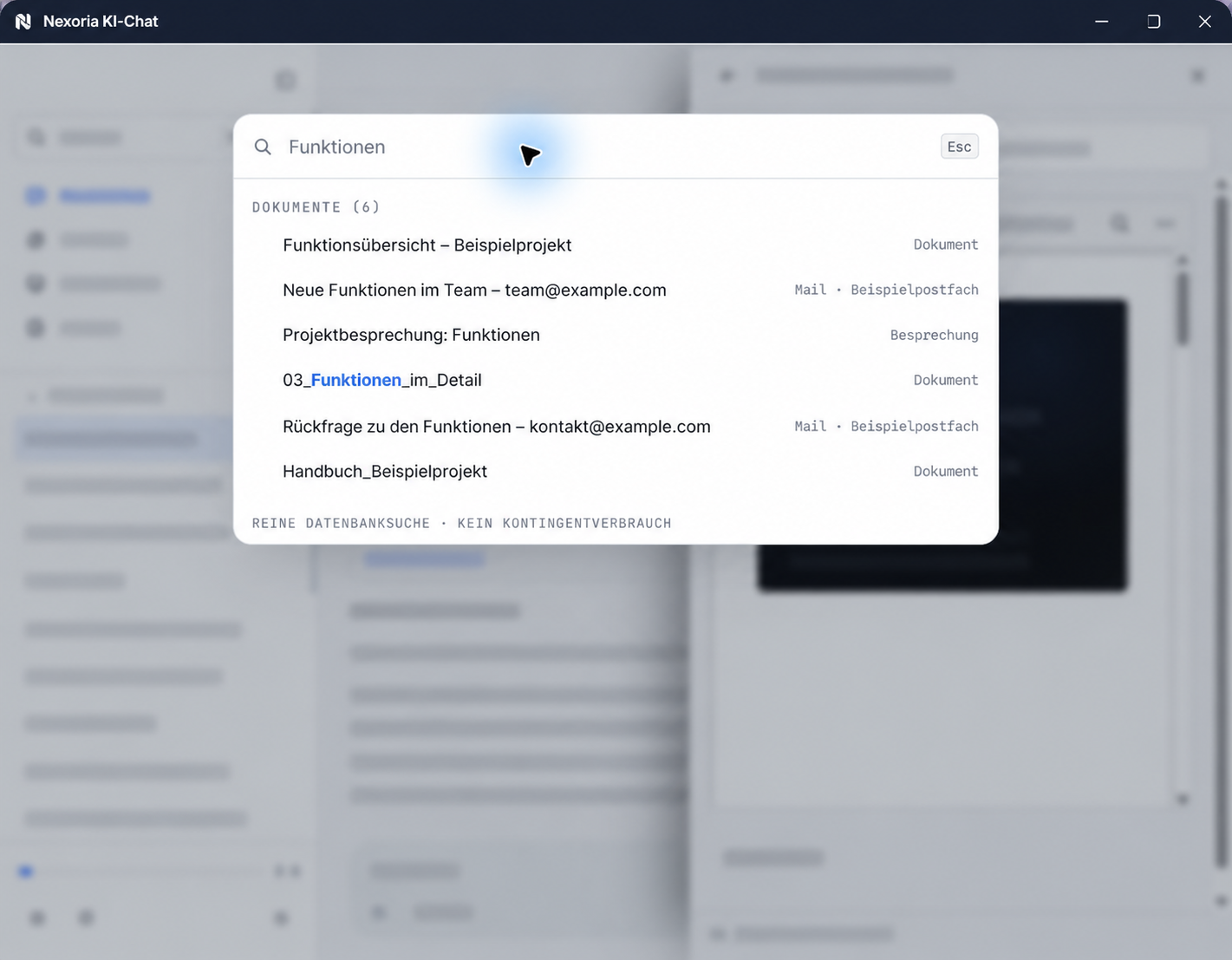
Nexoria belongs to the fourth group: storage and search are part of the same platform. Supported, shared content from Nexoria Drive makes up the searchable content, and Document search works on exactly this index. It is available both in the assistant Nex and in a dedicated search window. Nexoria uses semantic search across the content of the workspace and RAG with hybrid retrieval, i.e. the combination of lexical and semantic search.
Document search searches the contents of a workspace semantically and cites the source for every result.
The permission layer lies with the Workspaces: a workspace determines which people and which chatbots see which content, and the same permissions apply to search, chat and bot. Technically, this is backed by: Strict data isolation per tenant at database and vector store level, a role model with Admin, Member and Viewer, server-side permission checks on every API endpoint.
Where processing takes place: Document embeddings and semantic search run on servers in Germany, using models that Nexoria operates there itself.
What is searched
- The search covers the supported, shared content in Nexoria Drive. Store documents from SharePoint, mailboxes or network drives there so that the search includes them. Integrations with SharePoint, OneDrive, Google Drive and other systems are possible on request, with scope and indexing agreed as part of this.
- Nexoria combines semantic and exact word search. This means you can also find case reference numbers, document numbers and proper names through exact word matching.
Sources
As of
- Robertson and Zaragoza, The Probabilistic Relevance Framework: BM25 and Beyond. Foundations and Trends in Information Retrieval, now publishers, 2009. https://www.nowpublishers.com/article/Details/INR-019 Retrieved on .Summary of the BM25 ranking method by its creators. Source for how lexical full-text search works, as described in the text.
- Karpukhin et al., Dense Passage Retrieval for Open-Domain Question Answering. Proceedings of the 2020 Conference on Empirical Methods in Natural Language Processing (EMNLP), preprint on arXiv, 2020. https://arxiv.org/abs/2004.04906 Retrieved on .Describes search using learned vector representations of text passages, the method behind semantic search. The paper explicitly compares it with BM25 full-text search.
As of